


Published on: June 29, 2026 | Reading Time: 7-8 min
Cookies have been the internet’s go-to tracking tool for decades. These small text files, stored on your device by websites, were designed to remember who you are, what you clicked, and how you behaved across sessions. Advertisers loved them. Users, not so much.
Growing public awareness around digital privacy — along with sweeping legislation like the GDPR (General Data Protection Regulation) — has significantly curtailed what companies can do with cookies. But don’t mistake that for a victory. Tracking hasn’t stopped. It’s just evolved.
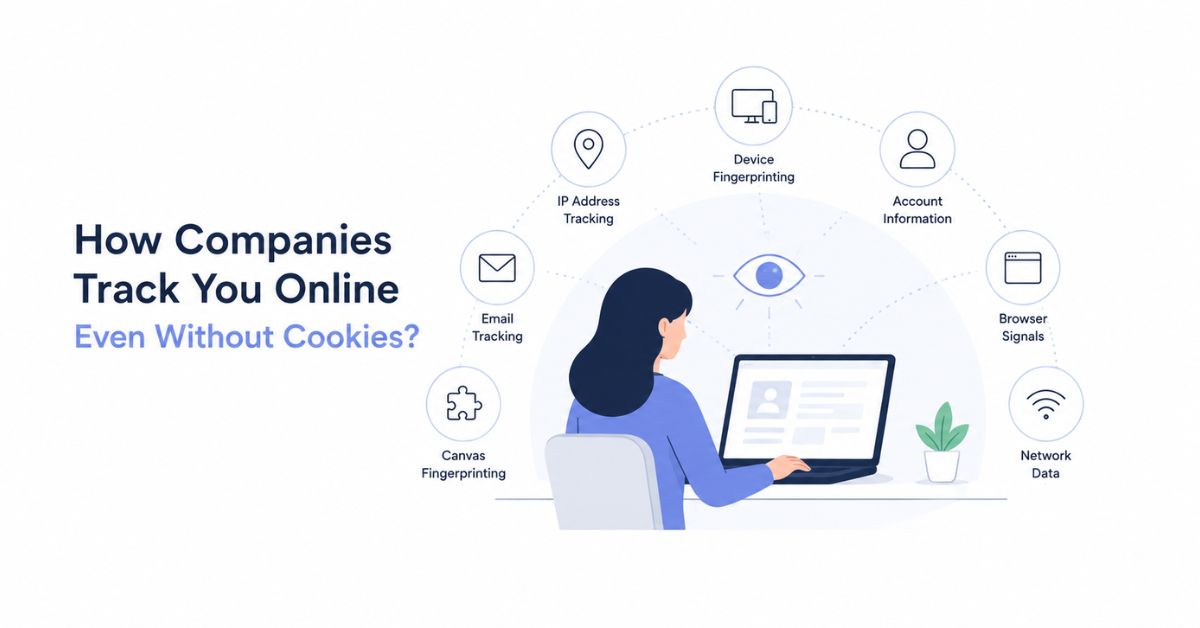
Today, companies use methods that work even when cookies are disabled, even in incognito mode, and even when users think they’re browsing privately. Here’s what’s actually happening behind the scenes.
Why Companies Still Track You
The motivation is simple: user data is one of the most valuable commodities on the internet. Companies collect and sell it to advertisers and tech platforms to understand user behavior, deliver personalized ads, measure campaign performance, and analyze engagement. Some actors go further, selling data to cybercriminals or on dark web marketplaces — with serious consequences for the people whose data ends up there.
4 Ways You’re Being Tracked Without Cookies
1. Device Fingerprinting
Rather than storing anything on your device, fingerprinting works by reading it. Every time you visit a website, your browser quietly broadcasts a surprising amount of information:
- Operating system and version
- Browser type and version
- Screen resolution
- Timezone
- Installed fonts and language settings
- Graphics card details
- Touchscreen capability
- Active browser plugins and extensions
Individually, none of these details is unique. Combined, they form a fingerprint so specific that the odds of two users sharing an identical profile across all dimensions are extremely low. This allows trackers to re-identify you across different websites — no cookies required, incognito mode irrelevant.
2. IP Address Tracking
Every device connected to the internet is assigned an IP address — essentially a digital home address. When you visit any website, that site’s server logs your IP automatically.
From your IP address alone, companies can determine your approximate location, identify your internet service provider, and in many cases link activity to a specific household or organization. You can check exactly what your IP reveals by running it through an IP location finder tool.
When combined with device fingerprinting, IP tracking becomes significantly more precise. And while VPNs and mobile networks can change your IP, many users maintain the same static home or work address for years — giving trackers a reliable identifier without ever touching a cookie.
3. Browser Storage APIs
Even without cookies, websites can store data directly on your device using JavaScript and alternative browser storage mechanisms. If a site’s script saves something locally, it can retrieve that data later and send it back to the company’s servers.
The main storage methods used for this purpose include:
- LocalStorage — stores data with no expiration, persisting indefinitely across sessions
- SessionStorage — stores data for the duration of a single browser tab
- IndexedDB — a full client-side database capable of storing large, structured datasets
In practice, a website might generate a unique ID for your browser on your first visit, store it in LocalStorage, and read it back every time you return. Unlike cookies, these storage methods don’t appear in standard cookie managers, making them significantly harder for most users to monitor or clear.
4. ETags (HTTP Headers)
ETags, or Entity Tags, are part of the HTTP protocol and were originally designed for a legitimate purpose: helping browsers determine whether cached content has changed since the last visit.
Here’s how they get repurposed for tracking. A website assigns a unique ETag to your browser. On future visits, your browser sends that ETag back to the server as part of a routine cache check — and the server uses it to recognize you.
What makes ETag tracking particularly troublesome is that it survives cookie clearing. It is rarely transparent to users and stays completely invisible unless you’re actively inspecting network traffic and HTTP headers.
How to Protect Yourself
No single solution eliminates all tracking, but the following steps meaningfully reduce your exposure:
Use a VPN. A VPN encrypts your internet traffic and routes it through servers in other locations, masking your real IP address and making location-based tracking significantly harder.
Switch to a privacy-focused browser. Browsers like Brave or DuckDuckGo are built to restrict the kind of data access that enables fingerprinting and storage-based tracking. They block many of these techniques by default.
Clear your browser regularly — and thoroughly. Don’t just clear cookies. Make sure you’re also clearing cached files, LocalStorage, and IndexedDB. Most browsers bury these options, but they matter.
Cookies were never the whole story — they were just the most visible part of it. Device fingerprinting, IP tracking, browser storage APIs, and ETags give companies a robust toolkit for identifying and following users across the web, regardless of privacy settings or legislation.
Understanding how these methods work is the first step toward reclaiming some control over your own data.